Most people don’t lack ideas for a Photo Book. They get stuck at the next step: finding the right 60 photos among 20,000. Each of the 20 ideas below comes with a rough photo count and a place to start looking on your phone: an album, a date range or a search. Choosing a theme then leads straight into choosing the photos.

How do you choose a Photo Book theme?

Start with the photos, not the occasion. The best theme is one you already have the pictures for. Scroll back through your camera roll and look for the clusters: a holiday with 300 photos, a child who appears in every other picture, a dog that turns up more often than any person.

Then decide who the book is for. A book you’ll keep can be long and full of detail. A book you’re giving away should be shorter and built around the recipient. Finally, check the photo count against the format. A 20-page Photo Book holds roughly 20 to 60 photos, depending on how many go on each page. You can add pages up to 150 if the theme needs more room.

An open photo album displays travel photos (sunset, lighthouse, cacti) on a white shelf, with books arranged in a rainbow gradient above.

Made for your memories

Family Photo Book ideas for everyday life

Everyday family life

Not holidays and parties but ordinary weeks: school runs, Sunday breakfasts, the garden in summer. Nobody prints these photos, yet people value them most. 

Photos: 60–100. 

Start with: a single year in your camera roll, filtered to the People album of each family member.

The family pet

A pet is often the household’s most photographed member, so this book fills easily. Use face close-ups for full pages and action shots for spreads. 

Photos: 30–50. 

Start with: the People & Pets album on iPhone or Google Photos, or search “dog” or “cat”.

A family recipe book

Pair photos of the dishes with the people who cook them, the recipe as the caption. Grandma’s Sunday roast belongs next to a photo of Grandma. 

Photos: 20–30. 

Start with: search “food” in your phone’s photos, then take any missing shots the next time each dish is made.

Your first home

Show the house from viewing day on: the empty rooms, the decorating, the first dinner party. Before-and-after pairs work well on facing pages. 

Photos: 30–50. 

Start with: a date range from the week you got the keys, or the map view in your photos app, zoomed in on your address.

Open photo album displaying photos of a woman and her dog. The main photo shows a smiling dachshund in a field of yellow flowers.

Design your way

Travel Photo Book ideas beyond the holiday album

For more on structuring a holiday book, see our travel Photo Book ideas.

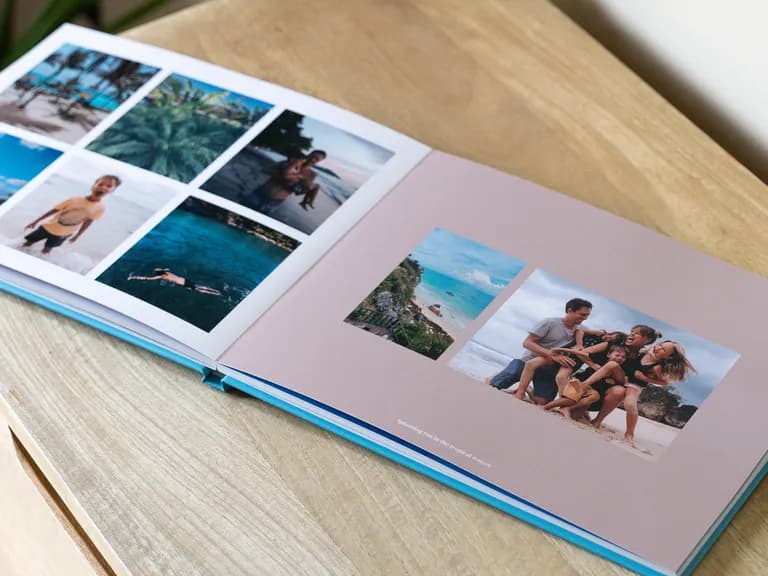
A single holiday

This is the classic travel book. Tell it day by day, slotting scenery between the people shots so it doesn’t read like a postcard rack.

Photos: 40–80.

Start with: the trip dates, or your phone’s Trips collection.

Every holiday together

Use one or two photos from every trip you’ve taken with someone, first to latest. It works well as a gift for a partner or a travel friend.

Photos: 50–100.

Start with: your photos app’s map view, place by place.

A road trip

Show the route, the stops and the service station breakfasts. Open with a screenshot of the map.

Photos: 50–80.

Start with: the trip dates, then the map view to put the stops in order.

A white mesh market bag holds a lemon, Rome guidebooks (Colosseum & cocktail covers), a "ROMA" keyring, sunglasses, and playing cards.

Never out of style

Dark hands opening an orange book about Lisbon, showing a beach photo. A stack of similar books is underneath.

Photo Book ideas for babies, weddings and other milestones

Baby’s first year

Go month by month, from the hospital to the first birthday. Give each month a similar number of photos, so the heavily photographed newborn weeks don’t squeeze out the later months.

Photos: 60–120.

Start with: the baby’s People album, from their date of birth to their first birthday.

Wedding

Combine the photographer’s gallery with the guests’ phone photos. The professional shots cover the ceremony; the guests’ catch everything else. Our wedding Photo Book ideas cover layout in more detail.

Photos: 60–100.

Start with: the photographer’s download, plus a shared album for guests’ pictures.

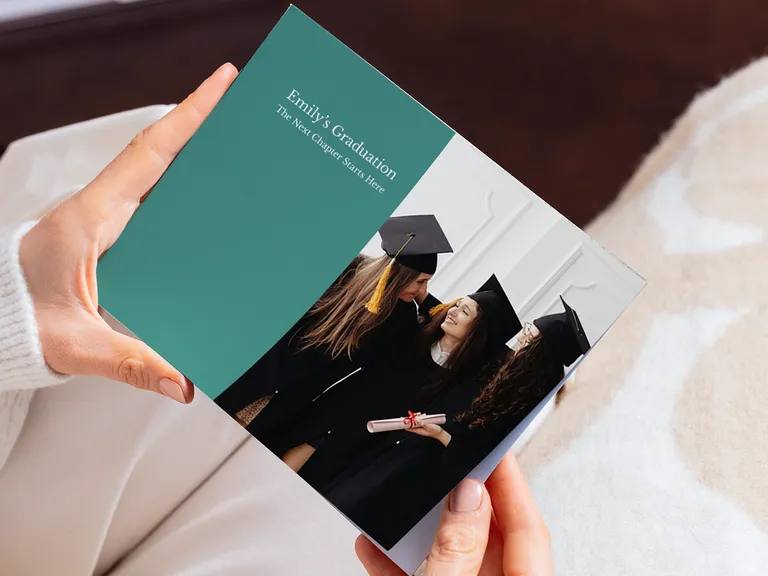
Graduation

Cover the years, not just the day: halls, flatmates and exam season, then the gown. It makes a good gift from parents, or a keepsake from friends.

Photos: 30–60.

Start with: a date range covering the course, and search “graduation” for the day itself.

A couple’s story

Run from your earliest photo together to the latest, in order. Anniversaries are the obvious occasion, but the book doesn’t need one.

Photos: 40–80.

Start with: a search for both of your names in the People album, sorted oldest first.

Light pink photo album titled "Our Elopement" with a happy couple embracing on the cover, on a wooden table next to a lit candle.

The moments that matter

Two personalized photo albums, one red with a girl and horse, one blue with a mother and baby, next to a slice of cake.

Year-in-review Photo Book ideas

The family year

One book a year, collected on a shelf, is the most popular Photo Book habit. Pick the best few photos from each month, plus whatever didn’t fit a holiday book.

Photos: 80–150.

Start with: your Favourites album for the year, then fill the gaps month by month.

A child’s school year

Cover September to July: first-day photos, sports days, the nativity, artwork, and a final photo where the first was taken. Make one each year and you’ll have a set by the time they leave school.

Photos: 30–50.

Start with: a September-to-July date range, plus photos of artwork taken before it goes in the recycling.

Photo Book ideas to give as a gift

For grandparents

Fill it with the grandchildren: what they’ve been up to this year, how much they’ve grown, the visits.

Photos: 40–60.

Start with: each grandchild’s People album for the past 12 months.

A friendship book

Use photos from trips, nights out and whatever started the group’s in-jokes. Good for a leaving present, a hen do or a big birthday.

Photos: 30–60.

Start with: a shared album everyone can add to, because nobody has all of them.

A memorial book

Choose photos of the person as people remember them, from childhood on. A short caption under each photo – a place or a year – gives family members something to talk about.

Photos: 30–60.

Start with: their People album, plus scanned family prints for the years before phones.

A life so far

For a 50th, 60th or retirement, use one or two photos from each decade. Scan old prints first.

Photos: 50–100.

Start with: scanned family prints for the early years, and the person’s People album from the phone years onwards.

A stack of red and orange family photo albums on a marble counter. The front album has a photo of a happy family with three young children.

Always to hand

Small Photo Book ideas for fewer than 30 photos

Not every book needs a big archive. These suit a Photo Booklet, which runs 20 to 36 pages, or a slim 20-page book.

A single day

A birthday party, a festival or a first day at school. One day, told from morning to night, makes a tight book.

Photos: 15–25.

Start with: that one date in your camera roll.

A weekend away

A city break doesn’t need 80 photos. Keep the best two or three from each part of the trip.

Photos: 20–30.

Start with: the trip dates, then your Favourites from that weekend.

One photo a month

Twelve photos, one for each month, shown full-page. It’s the quickest year-in-review, and works best when each photo was taken with the book in mind. Photos: 12–24. Start with: a monthly reminder, or your favourite photo from each month at year’s end.

How do you turn an idea into a finished Photo Book?

Once you’ve chosen a theme, find the photos before opening any design tool. Use the starting point above to shortlist about twice the photos you need, then cut them down. Take out near-duplicates first, then blurry shots, then anything that repeats a moment you’ve already covered. What’s left is the book.

In the Popsa app, you can pull photos from your camera roll, Google Photos, Facebook or Dropbox. The app lays them out automatically, and you can change the order, captions and cover. Facial recognition and smart albums make the People-based starting points above quicker to use. Most people finish a book in one sitting once the photos are chosen. For something larger to display, our guide to coffee table Photo Books covers the bigger formats.

A carregar…

Perguntas frequentes

How many photos do you need for a Photo Book?

That depends on the theme. Smaller books need 15–30 photos, a holiday or gift book needs 40–80, and a full year in review needs 100 or more. A 20-page Popsa Photo Book holds roughly 20–60, and you can add pages up to 150.

What’s the easiest Photo Book to make first?

A single holiday or a single day. The photos are already grouped by date, so most of the searching is done.

Can you mix phone photos and old prints?

Yes. Scan the prints with your phone in even light, then add them alongside your camera roll photos. This works especially well for memorial and life-so-far books.

Should photos go in date order?

Usually, yes: it’s the easiest order for someone else to follow. Themed books, such as a recipe or friendship book, can be grouped by subject instead.

Transferir a aplicação

Descubra memórias mais rapidamente com funcionalidades exclusivas, como o reconhecimento facial e álbuns inteligentes.

App StoreGoogle Play
Transferir a aplicação